Affirm Brand Showcase




Split large purchases into smaller payments
Enjoy 2% off your APR
When you pay over time with Affirm for online or in-warehouse orders of $400 or more.
Flexible Plans
Choose the payment option that works best for you and your budget.

Transparent Payments
That means we won't surprise you with hidden fees, late fees, or fine print.
Real-time Decision
Just answer a few questions at checkout, with no impact on your credit.
Here's How It Works
How to use Affirm online:
How to use Affirm online:
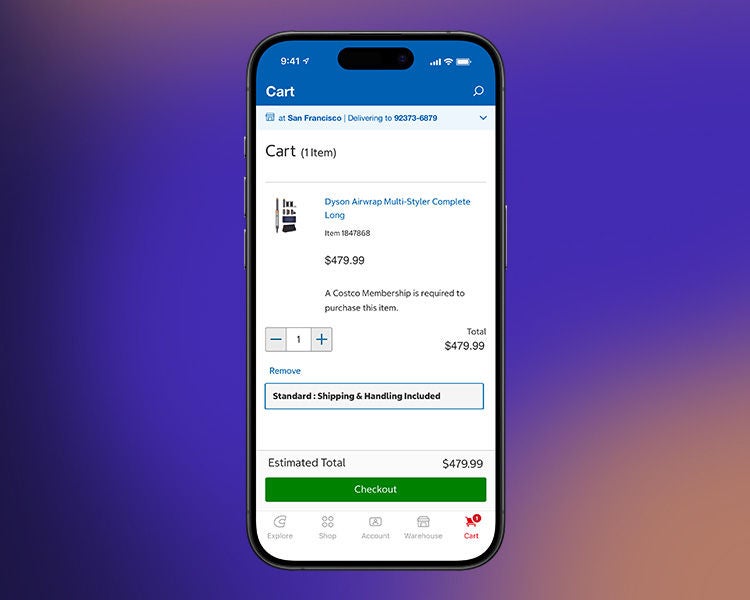
1. Add $400 or more of eligible products to your Costco.com cart
Many items online are eligible. See details at checkout.
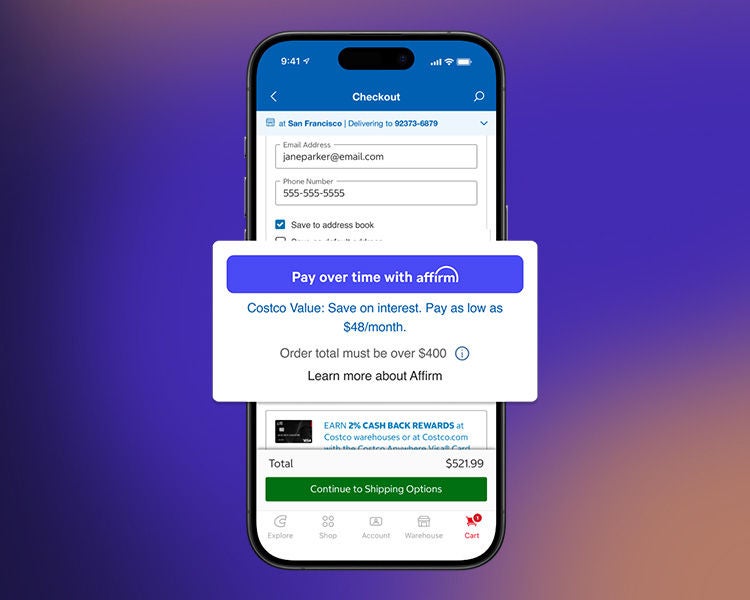
2. Select Affirm as your payment method at checkout on Costco.com
Enter a few pieces of information for a real-time decision. This won't affect your credit.
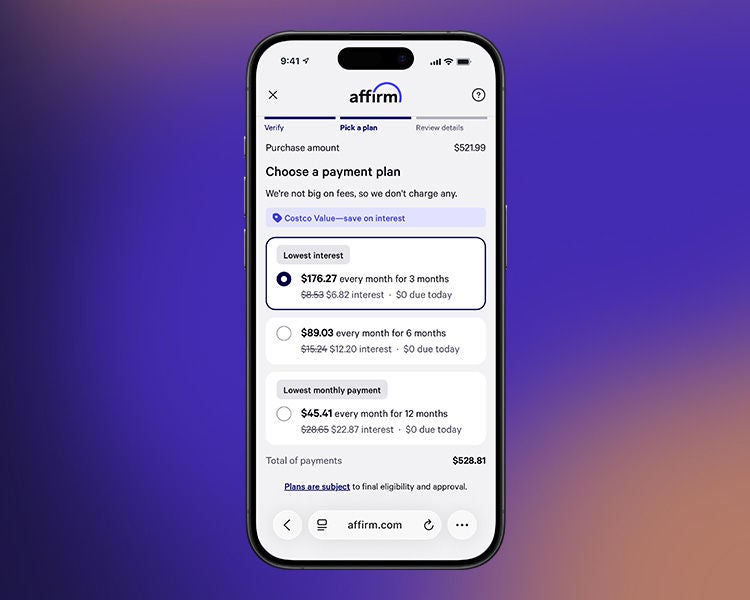
3. Pick a payment plan
Pay in 3, 6, 12, 18, 24 and 36 months. Rates are between 10-36% APR.
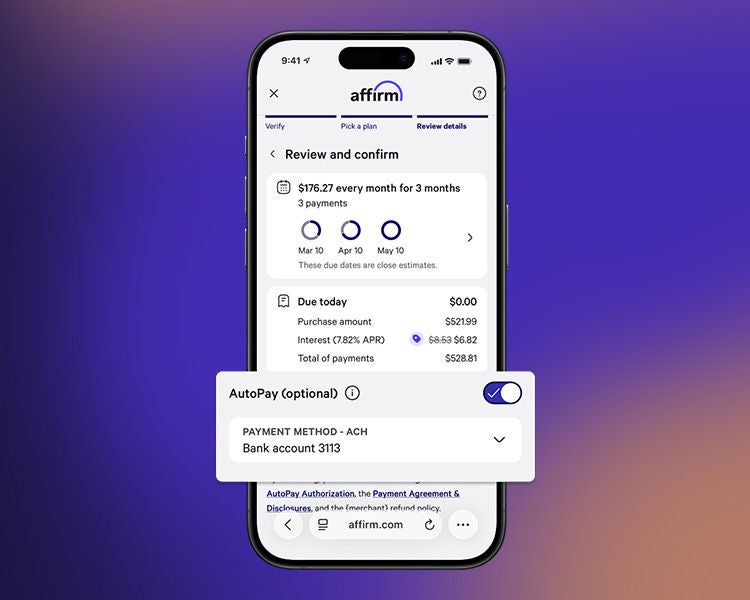
4. Pay over time
Review and confirm your plan. Make payments in the Affirm app or at affirm.com. You can also set up automatic payments.